
In short: Add a 20% Product Discount with the sale item rule Exclude sale items, and a 10% Product Discount with no rule. Full-price items get 20%. Sale items can only get the 10%.
Why one code: with Shopify's own discounts, this takes two codes, and leaving out sale items means a collection of full-price products (which includes or leaves out whole products, not single sizes or colours) or picking full-price variants by hand whenever prices change. OneCode: Stackable Discounts checks each item in the cart for you.
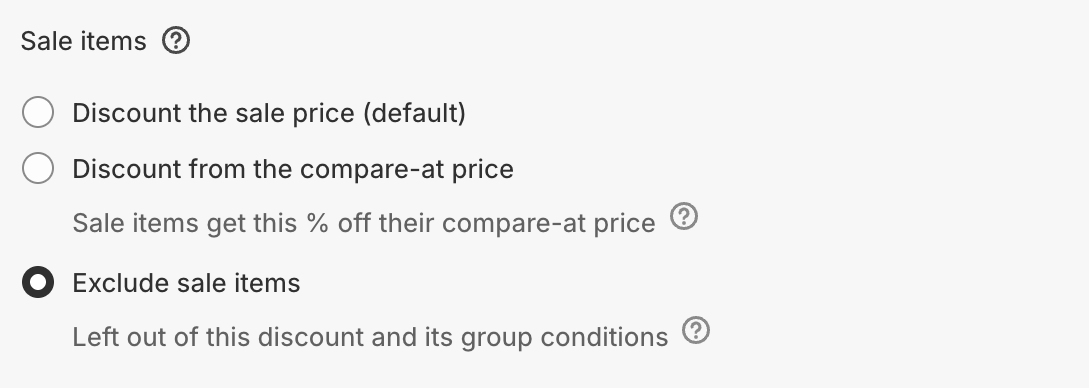
A sale item is any item whose compare-at price is higher than its price.
Steps
Click Create discount and enter a code, for example
SAVE20.Click Add Discount Type and enter
20in Percentage. Keep Target as All Products, or pick collections.Click Add sale item rule and choose Exclude sale items.
Click Add Discount Type and enter
10in Percentage, with the same Target. Don't add a sale item rule.Click Save discount.
What the customer gets
A cart with a $50 full-price shirt, and jeans reduced from $80 to $60:
Shirt: 20% off, $10 saved. It qualifies for both discounts and gets the bigger one.
Jeans: 10% off the sale price, $6 saved.
Variations
Nothing off sale items: add only the 20% discount with Exclude sale items.
No double discount, but a saving for everyone: use one 20% discount with the sale item rule Discount from the compare-at price. Each item ends at 20% off its original price, and items already reduced by more keep their sale price. Only for Percentage discounts.
Free shipping with it: add a Shipping Discount with Free Shipping.
Spend $100 on full-price items: add the Per-Discount Condition Group Subtotal at least
100to the 20% discount. Excluded sale items don't count toward it. Use Cart Subtotal if sale items should help reach the $100. Below $100, full-price items get the 10%.
Good to know
OneCode checks each item in the cart, so it works per variant. If only some sizes or colours of a product are reduced, the full-price ones still get 20%.
Sale item rules are only on product discounts. An Order Discount comes off the whole order, sale items included.
Subscription and preorder items follow the same sale rules. To leave all of them out, use Exclude subscription items. See Sale items and subscription items.