
In short: On a shipping discount, add Match Another Discount's Rules and tick the product or order discounts it should follow. The shipping discount then only applies when those discounts would apply too.
Why you need it
Each discount type in a code is checked on its own. Without this condition, a code with "20% off Accessories + free shipping" gives free shipping even when the cart has no accessories, because the shipping discount has no rules of its own.
Match Another Discount's Rules links them: shipping is free only when the accessories discount applies.
Set it up
Add the product or order discount first, with its target, exclusions and conditions.
Add a Shipping Discount.
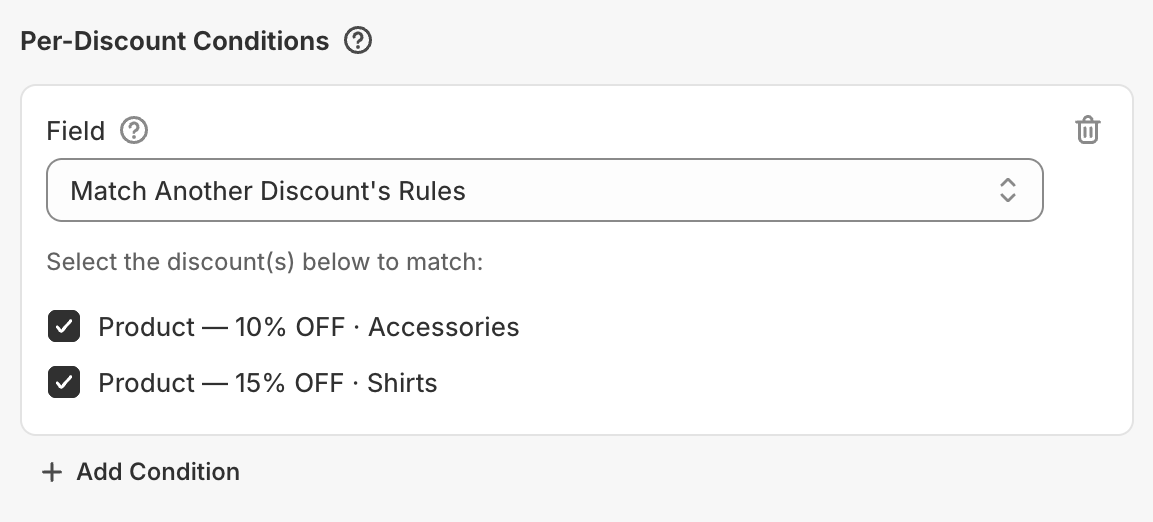
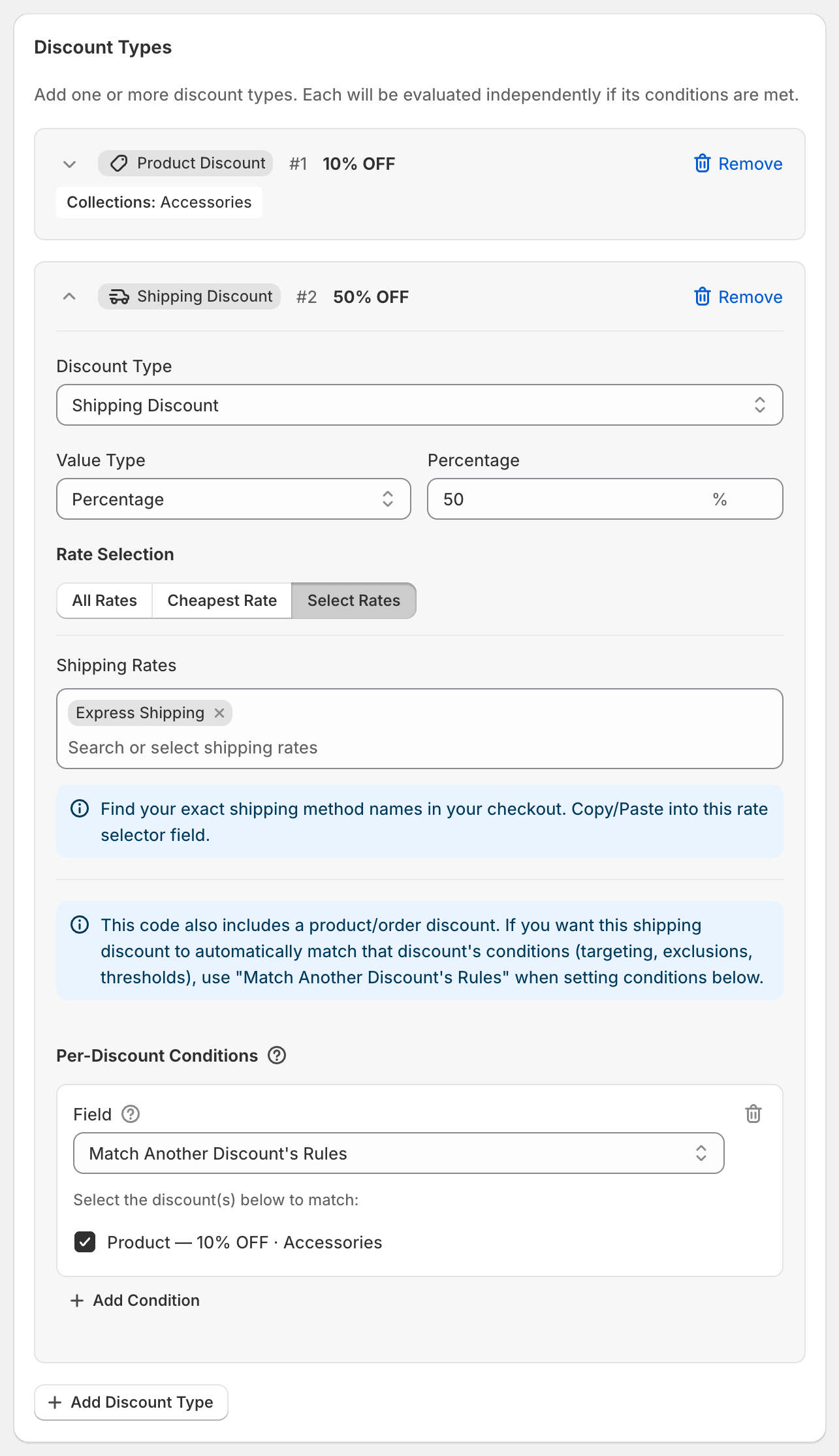
In its Per-Discount Conditions, click Add Condition and pick Match Another Discount's Rules.
Tick the discounts to follow. Each is labeled with its type, value and target, for example "Product — 10% OFF · Accessories".
You can tick more than one. The shipping discount then applies when any of the ticked discounts applies.
What "active" means
A ticked discount counts as active when it would apply to the current cart: the cart has items it targets that aren't excluded, and its Per-Discount Conditions are met. It uses the same rules as the discount itself, so you don't have to copy them.
Worked example
Code SHIPSAVER: 10% off Accessories, plus 50% off Express Shipping that follows it.
Cart with a $30 tote from Accessories: 10% off the tote, and Express Shipping is half price.
Cart with only a $40 shirt: no accessories, so no 10% and full-price shipping.
Good to know
Only available on shipping discounts, and only lists the product and order discounts in the same code.
If you tick an order discount that has no Limit to collections, only its Per-Discount Conditions are checked.
The builder reminds you about this option with a blue note when a code has both a shipping discount and a product or order discount.