
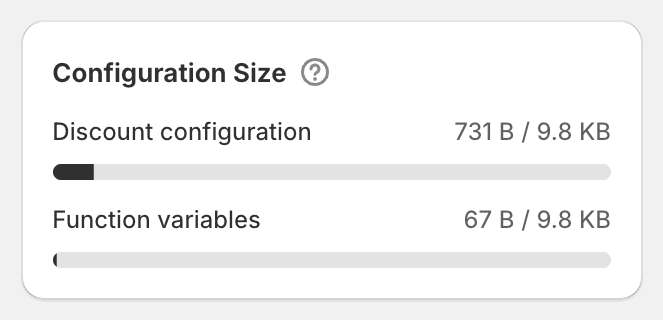
In short: Shopify limits how much detail each discount can store. The Configuration Size card shows how much of that space this discount uses. Most discounts use a small fraction. If OneCode: Stackable Discounts warns you it's near the limit, remove some products or conditions, or split the offer into two discounts.
What the two bars mean
Discount configuration: your discount types, conditions and settings.
Function variables: the products, variants and collections you've selected.
Each bar has its own limit, shown as 9.8 KB. The fuller the bar, the closer you are.
When it's nearly full
Once either bar is 90% full, the bar turns red and OneCode warns: "A function metafield is near the size limit. It may fail to run if more items are added." Treat it as a sign to slim the discount down before adding anything else, so the discount keeps working at checkout.
What uses the most space
Choosing lots of individual products or variants.
Many discount types, each with many conditions.
How to free up space
Target a collection instead of dozens of individual products. A collection takes the same space no matter how many products it has.
Remove conditions you don't need.
Split a very large offer into two discounts.
Good to know
The bars update as you build, before you save.
Most stores never get close. A discount with a handful of collections and conditions uses well under a quarter of the space.